Blog

AP AI Joule Architecture: Technical Integration with BTP and S/4HANA
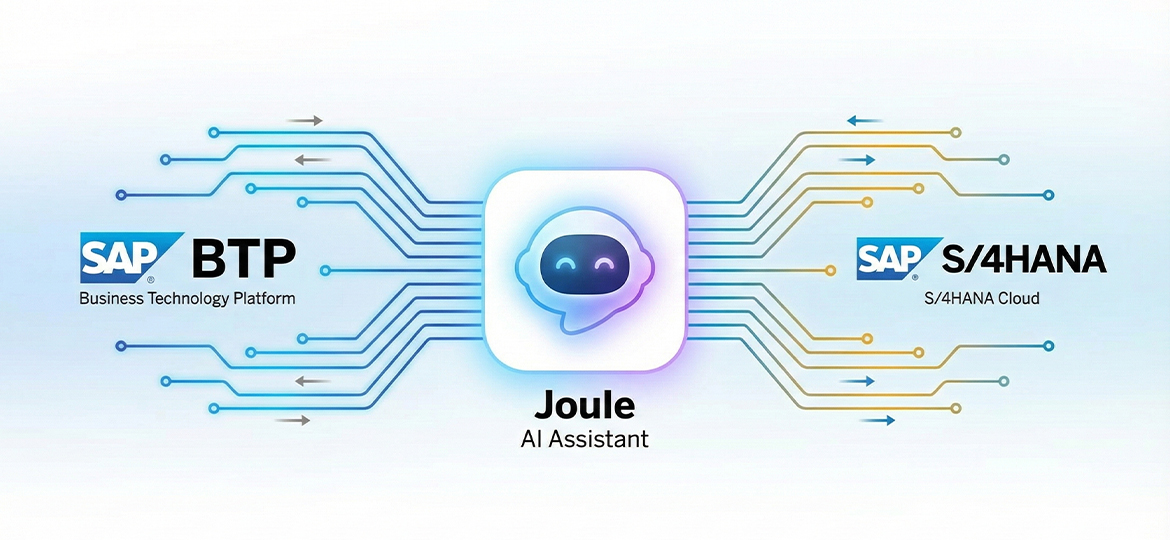
In the modern ERP landscape, the transition from static transactional interfaces to natural language-based interactions is no longer just a trend, but an operational necessity. SAP AI Joule arrives not merely as a chatbot, but as an intelligent orchestration layer that connects user intent with complex business logic in the backend.
However, for those of us in system architecture and IT consultancy, the real challenge is not "what Joule is," but "how to make it work" in a complex hybrid environment. The integration between SAP Business Technology Platform (BTP), S/4HANA Private Cloud, and corporate security protocols is often the primary hurdle in implementation projects.
High-Level Architecture: Joule in the BTP Ecosystem
Fundamentally, Joule operates as a microservice within the Cloud Foundry environment on SAP BTP. It does not stand alone; rather, it relies on a series of supporting services that must be precisely configured.
From technical implementation experience, this architecture can be divided into three logical layers:
-
Interaction Layer (User Channel): This is the user entry point, typically through SAP Fiori Launchpad or SAP Build Work Zone. Joule is embedded as a UI5 plugin that calls services in BTP.
-
Orchestration Layer (BTP Intelligence): This is where Joule's "brain" resides. This service utilizes the SAP GenAI Hub to route prompts to the appropriate Large Language Models (LLM), and the SAP HANA Cloud Vector Engine to perform Grounding (contextual search) on corporate documents.
-
Execution Layer (Backend): The system of record, such as S/4HANA, where the actual data lives. Communication to this layer is not done haphazardly, but through a secure Cloud Connector tunnel.
Expert Note: A common misconception is assuming Joule stores your business data. In fact, Joule is stateless regarding transactional data storage; it only processes data in flight and does not persist business data within the LLM layer.
S/4HANA Private Cloud Edition (PCE) Integration
Integration with S/4HANA Private Cloud or systems located within a private network is the most critical part. Unlike the Public Cloud which is "plug-and-play," the PCE environment requires rigorous manual configuration.
1. The Vital Role of SAP Cloud Connector (SCC)
To allow Joule on BTP to "talk" to S/4HANA behind a firewall without opening risky inbound ports, using the SAP Cloud Connector is mandatory.
The biggest technical challenge here is Principal Propagation. We cannot use Basic Authentication (static technical User/Password) because Joule needs to execute transactions on behalf of the actual user (User A) to comply with audit logs and authorizations.
The technical flow you must configure:
-
Trust Establishment: X.509 certificate exchange between the BTP Subaccount and SCC.
-
Short-Lived Certificates: SCC will issue temporary X.509 certificates for every request from Joule.
-
Backend Validation: The
icm/HTTPS/trust_client_rootsparameter in S/4HANA must be set to trust the System Certificate from the SCC. If missed, you will encounter HTTP 401 Unauthorized errors in the ICM logs.
2. UUID Synchronization
The issue that most often delays projects for days is identity mismatch. Joule uses the Global User ID from SAP Cloud Identity Services (IAS).
In S/4HANA, users are often mapped based on a User ID (e.g., JDOE). However, IAS uses a userUuid. You must ensure that the Identity Provisioning Service (IPS) is configured to synchronize these attributes accurately.
Risk: If the userUuid in IAS does not match the mapping in S/4HANA, Joule will fail to recognize the user when attempting to fetch leave data or Purchase Orders, even if the Fiori login was successful.
On-Premise Challenges: Reality vs. Expectations
Clients often ask: "Can I install Joule on my office's S/4HANA On-Premise 2023 server?" The honest answer currently is: Not natively.
As per the latest roadmap, direct integration of Joule into a local (embedded) Fiori Launchpad is not yet fully supported for pure On-Premise installations (non-RISE).
Workaround Solution: Side-by-Side Extensibility However, as consultants, we cannot simply say "no." The architectural solution is to use a Side-by-Side pattern:
-
Use SAP Build Work Zone, Standard Edition on BTP as the primary user gateway.
-
Connect Work Zone to the On-Premise system via Cloud Connector.
-
Activate Joule at the Work Zone level.
In this way, users interact with Joule in the cloud, and Joule retrieves data from on-premise through the connector. Although this slightly changes the user experience (requiring a move to Work Zone), it is the only valid way to enable GenAI capabilities for on-premise customers today, at least until new feature releases expected in Q1 2025.
Security Protocol: SAP Business AI Trust Layer
Data security is the first question from a CISO (Chief Information Security Officer). How do we guarantee that employee salary data doesn't leak to the public while being processed by AI?
SAP implements the AI Trust Layer mechanism, which functions as a two-way filter:
-
Input Filtering (Anonymization): Before a prompt is sent to the LLM (e.g., to Azure OpenAI), the Trust Layer scans and masks Personally Identifiable Information (PII). The name "Budi Santoso" might be replaced with "Person_A".
-
Output Filtering: Responses from the LLM are scanned to ensure there is no harmful content or illogical hallucinations before being displayed to the user.
It is important to note that based on SAP's contracts with AI vendors, customer data is not used to re-train their base models. Your data remains yours.
Troubleshooting: Common Field Issues
Based on deployment experience, here are the top two technical issues and their solutions:
-
Error "Digital Assistant not found":
-
Cause: The S/4HANA system has not been added to the System Formation in the BTP Cockpit, or the Trusted Domain has not been configured, causing the browser to block the Joule iframe.
-
Solution: Ensure the Fiori Launchpad domain (e.g.,
myerp.corp.com) is registered in Trusted Domains within the IAS and BTP configurations.
-
-
Navigation Failure (Links do not appear):
-
Cause: Content Provider Sync between S/4HANA and BTP has not been run or has failed.
-
Solution: Check the logs in SAP Build Work Zone -> Content Manager. Ensure the user roles in the backend are exposed to the
/UI2/CDM3_EXP_SCOPEservice.
-
Conclusion
Implementing SAP AI Joule is not just about enabling a feature; it is a system integration project that touches layers of identity, networking, and security. The key to success lies in a strong BTP Connectivity foundation and tidy Identity Lifecycle management.
For companies still using S/4HANA On-Premise, transitioning to a hybrid architecture via SAP Build Work Zone is the most logical step to avoid falling behind in the AI revolution. Let’s discuss your business architecture readiness with Soltius and find the most efficient integration strategy for your company's specific needs.
Other News