Blog

A Complete Data Replication from SAP Beginner's Guide
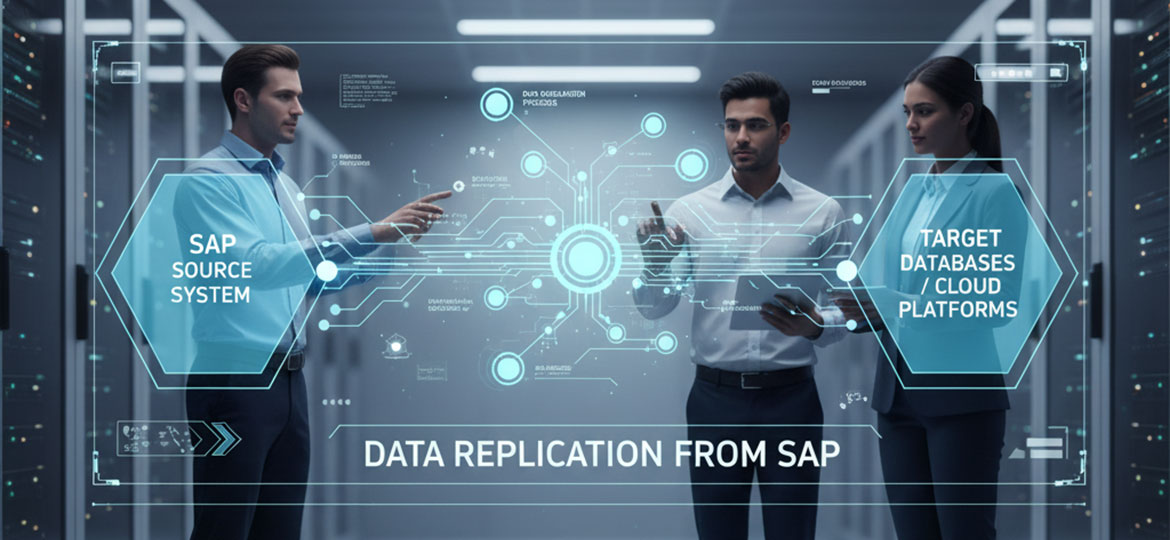
Have you ever struggled to access the latest data for your daily reports? Or perhaps your team spends days just to pull sales figures from SAP to be analyzed on another platform? If so, you're not alone. Many professionals across various industries face the same challenge: valuable data is trapped within one system, while the need for rapid analysis and decision-making grows more urgent every day. This is where the concept of Data Replication from SAP becomes a game-changing solution.
While the process may sound technical, its core idea is simple: to continuously copy and move data from your SAP system to another destination. The goal is to make this data more accessible and easier to process for various purposes, such as business intelligence, predictive analytics, or even customer-facing applications. This article will be your complete guide to understanding what SAP data replication is, why it's crucial for your business's growth, and the key methods and technologies you can leverage. Let's unlock the full potential of your data.
Introduction: What Is Data Replication from SAP?
Imagine you have a comprehensive and constantly updated master cookbook (this is your SAP system). Now, imagine you want to share specific recipes with chefs in other kitchens (the target systems) so they can start cooking immediately without having to reference the master book each time. The process of copying and ensuring the recipes in the other kitchens are always identical to the master book is essentially what data replication is.
A Brief History and Evolution of Data Replication
The concept of data replication has long existed in the world of information technology, driven by the need to ensure data consistency across different locations or systems and to maintain high data availability. Initially, this process was often manual or handled by complex, scheduled scripts (batch processing), such as copying data only once in the middle of the night.
Over time, business needs demanded faster access to data. This led to the emergence of technologies enabling near real-time or even real-time data replication. In the SAP ecosystem, this evolution is particularly significant. What began as simply moving data between databases has now become a vital bridge connecting operational data in SAP (like sales transactions, production, and financial data) to various modern platforms such as data warehouses, data lakes, or cloud-based applications.
Applications of SAP Data Replication in Various Scenarios
The process of Data Replication from SAP is not a one-size-fits-all solution. Its application varies widely depending on business needs. Some common examples include:
-
Business Intelligence (BI) and Reporting: Analytics teams require the latest transaction data from SAP to visualize in BI dashboards. Replication ensures their reports are always relevant.
-
Data Warehousing: Companies consolidate data from SAP and other systems into a central data warehouse for historical analysis and long-term trend identification.
-
Mobile and Web Applications: An application used by a sales team in the field needs the most current product stock and pricing information, which resides in the SAP system.
-
Cloud Migration: As a company moves parts of its infrastructure to the cloud, data replication is used to synchronize data between the on-premise SAP system and cloud applications.
Why Is SAP Data Replication So Important in the Modern Era?
In today's fast-paced business world, data is a strategic asset. However, this asset is useless if it's locked away and difficult to access. The ability to efficiently replicate data from a core system like SAP is key to staying competitive. Here are some of the primary reasons why:
-
Faster Decision-Making: With real-time data replication, business leaders can access dashboards and reports that reflect the current state of the business, not yesterday's or last week's. This allows them to respond to market changes with greater agility.
-
Improved Source System Performance: Running complex analytical queries directly on a transactional SAP system (OLTP) can slow down daily operational performance. By replicating data to a separate system designed for analytics (OLAP), the workload on the source system is drastically reduced, ensuring core business processes continue to run smoothly.
-
Enabling Advanced Analytics: Modern data science and machine learning platforms often exist outside the SAP ecosystem. SAP Data Replication allows data scientists to access historical and real-time SAP data to build predictive models, customer sentiment analysis, or demand forecasting models.
-
Flexibility and Scalability: Modern enterprises use a variety of best-of-breed applications and platforms for different needs. Data replication creates an integrated data ecosystem where data from SAP can easily be combined with data from a CRM, marketing platform, or other sources.
According to a report, data-driven organizations are 23 times more likely to acquire customers and 6 times as likely to retain those customers. This capability heavily relies on the availability of accurate and timely data, which is the primary goal of data replication.
Key Methods and Technologies for SAP Data Replication
Several popular methods and technologies are used to perform data replication from SAP systems. The choice of the right method depends heavily on your specific business requirements, such as speed, data volume, and the target system.
SAP LT Replication Server (SLT)
SAP Landscape Transformation (SLT) is a trigger-based technology installed within the SAP system. It works intelligently: when a data change occurs in a source table (e.g., a new sales order is created), a database trigger logs this change. SLT then reads these change logs and sends them to the target system in near real-time.
-
Mechanism: Database trigger-based.
-
Pros: Very low latency (near real-time), ideal for scenarios requiring the most up-to-date data. Configuration is relatively straightforward for SAP-to-SAP connections (e.g., to SAP HANA).
-
Cons: The triggers can add a small amount of overhead to the source system, though it is generally minimal.
SAP Data Services (BODS)
SAP BusinessObjects Data Services (BODS) is a comprehensive ETL (Extract, Transform, Load) tool. Unlike SLT, which focuses on speed, BODS is designed for more complex data processes. BODS extracts data from SAP, performs intricate data transformations (such as cleaning, merging, or reformatting data), and then loads it into the target system.
-
Mechanism: Batch-based (scheduled) ETL processes.
-
Pros: Extremely powerful data transformation capabilities. Perfect for data warehousing scenarios where data needs to be cleaned and restructured before being stored.
-
Cons: Not a real-time solution. Replication is performed periodically (e.g., hourly or nightly).
Change Data Capture (CDC)
Change Data Capture (CDC) is a general approach rather than a specific product. Its principle is similar to SLT: it captures and replicates only the changes made to the data, instead of copying the entire table every time. Many modern third-party data replication tools use CDC by reading the database's transaction logs. This is a highly efficient method for keeping a target system in sync with the source without burdening the SAP system.
-
Mechanism: Reads database transaction logs to detect changes (INSERT, UPDATE, DELETE).
-
Pros: Highly efficient with minimal performance impact on the source system.
-
Cons: Implementation can be more complex and often requires tools from third-party vendors.
SAP Integration Suite (formerly Cloud Platform Integration/CPI)
The SAP Integration Suite is SAP's cloud-based integration platform (iPaaS - Integration Platform as a Service). While its primary function is business process and API integration, it can also be used for data replication scenarios, especially between cloud applications or between on-premise and cloud environments. It's typically used for smaller data volumes or event-driven replication.
-
Mechanism: API-based integration and pre-built connectors.
-
Pros: Perfectly suited for cloud and hybrid ecosystems. Flexible for integrating not just data but also business processes.
-
Cons: Less optimal for bulk data replication with very large volumes compared to dedicated ETL tools.
7 Key Considerations for SAP Data Replication
Starting an SAP Data Replication project requires careful planning. Here are seven key factors you must consider to ensure a successful implementation:
-
Latency vs. Throughput Needs:
-
Latency: How quickly do you need data in the target system after it changes at the source? Do you need real-time (seconds), near real-time (minutes), or is batch (hours/days) sufficient? This will determine whether you choose SLT (low latency) or BODS (high throughput).
-
Throughput: How large is the volume of data you need to move at once?
-
-
Data Transformation:
-
Can the data be used directly in the target system, or does it need to be modified first? Transformation processes can include data cleaning (removing duplicates), enrichment (adding information from other sources), or aggregation (summarizing data). Tools like BODS excel at this.
-
-
The Target System:
-
Where will the data be stored? Will it be in a relational database, a data warehouse like SAP BW/4HANA or Google BigQuery, or a data lake? Each target system has different optimal methods for ingesting data.
-
-
Impact on the Source System:
-
Every extraction process will place some load on your source SAP system. Choose a method (like log-based CDC) that has the most minimal impact on your critical business operations.
-
-
Data Volume:
-
Consider the initial data volume to be replicated (initial load) and the daily volume of data changes (delta load). The strategy for moving 10 terabytes of data for the first time will be different from the strategy for syncing thousands of daily transactions.
-
-
Monitoring & Troubleshooting:
-
How will you monitor if the replication process is running smoothly? Prepare mechanisms to detect failures, monitor latency, and ensure data integrity between the source and target.
-
-
Security & Access Control:
-
Replicated data must remain secure. Ensure you have clear policies on who can access data in the target system, and implement data encryption in transit and at rest.
-
Quick FAQ & Glossary
For those new to the world of SAP data integration, some terms and questions may arise. This section will help clarify them.
Glossary of Important Terms
-
RFC (Remote Function Call): A standard SAP protocol for communication and information exchange between different SAP systems.
-
ODP (Operational Data Provisioning): A framework within SAP that provides, extracts, and replicates data from various SAP applications to different targets, often used with SLT or BODS.
-
Central Finance (CFIN): An SAP S/4HANA solution that uses data replication (typically with SLT) to consolidate financial data from various SAP and non-SAP systems into a single central system in real-time.
-
SLT (SAP LT Replication Server): A trigger-based replication technology for real-time data.
-
Data Services (BODS): An ETL tool from SAP for batch data transformation and movement.
-
Data Intelligence Cloud: A more modern cloud platform from SAP that combines data integration, data management, and data science capabilities into one solution.
Frequently Asked Questions
-
What are the technical prerequisites to start replication? This depends heavily on the chosen method. Generally, you will need network connectivity between the source and target systems, appropriate user authorizations in the SAP system, and the installation of relevant software components (like SLT or a Data Services agent).
-
Do I need an additional license from SAP? Most likely, yes. The majority of tools like SLT, Data Services, and the Integration Suite require separate licenses. It's crucial to consult with your SAP account team or implementation partner to understand the applicable licensing model.
-
What is a cutover strategy in a replication project? A cutover strategy is the plan for how you will transition from an old process to the new data replication flow. It includes steps like the initial load (loading historical data), data validation, and finally activating the delta replication (ongoing changes) for productive use.
Conclusion: It's Time to Liberate Your Data
Understanding SAP Data Replication is no longer just an IT concern; it's a strategic business imperative. By unlocking access to the rich operational data within your SAP system, you empower your analytics teams, data scientists, and decision-makers to work smarter, faster, and more innovatively. Whether through the real-time speed of SLT, the transformational power of Data Services, or the flexibility of cloud platforms, there is a right solution for every business need.
Implementation challenges certainly exist, from meticulous planning to security considerations. However, the long-term benefits—in the form of business agility, deeper insights, and a competitive edge—are far greater. The first step is to identify the most pressing needs within your organization and begin exploring the technology that fits best.
Ready to take the next step in your data journey? Explore how Soltius's Business Data Fabric solutions can help you unify and manage data from multiple sources, including SAP, to create a solid and trusted analytical foundation for your company's future.
Other News