Blog

The Ultimate Guide to Cloud ERP Migration: Strategies, Roadmap, & Benefits
Are you constantly facing surging local server maintenance costs, while your IT system's performance fails to keep up with business needs? Many companies today are still shackled by on-premise ERP systems with outdated architectures. These legacy systems not only drain budgets for physical hardware maintenance but also present real technical barriers when you want to expand.
At the architectural level, the limited Application Programming Interface (API) support in legacy systems makes integration with modern Artificial Intelligence (AI) or Data Analytics tools a complex and error-prone process. When your team needs real-time data streams to make tactical decisions, local servers often experience computational bottlenecks and are constrained by rigid database structures.
Because of these technical reasons, ERP migration to the cloud has shifted from being merely an option to a critical architectural necessity. Moving these workloads is a strategic step to:
-
Overcome the bandwidth and scalability limitations of physical servers.
-
Unlock direct access to the microservices ecosystem and native cloud AI integrations.
-
Ensure Business Continuity through automated data redundancy.
Leaving legacy systems behind means fundamentally changing your IT investment model.
What Is Cloud ERP Migration? (Dissecting Legacy System Modernization)
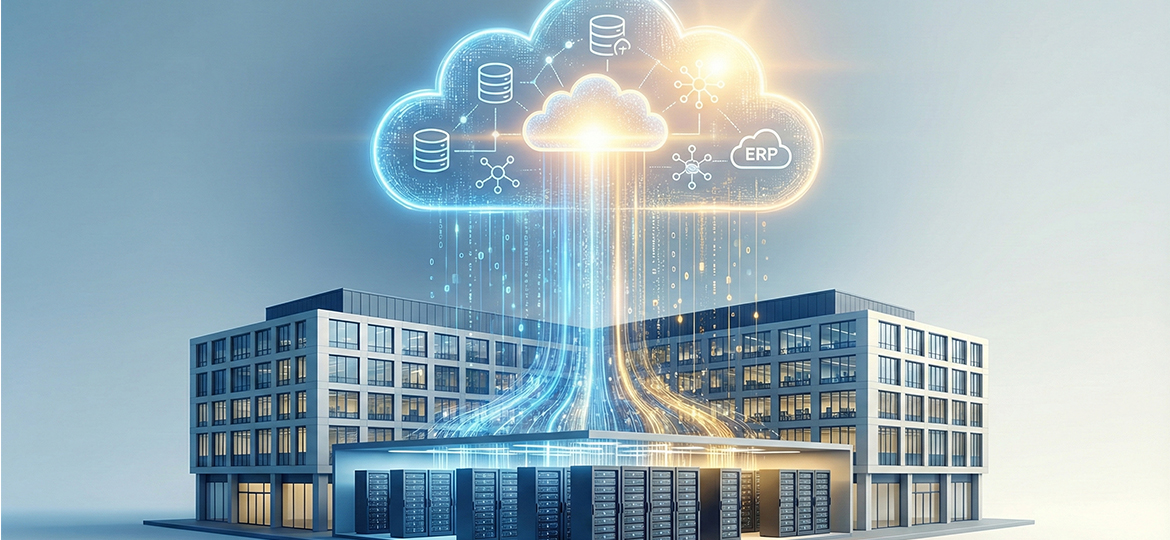
Technically, what is cloud ERP migration? It is the transition process of moving a company's IT workloads, from data and core applications to operational business functions. You move this ecosystem from local physical servers (on-premise) to cloud computing infrastructure.
Eventually, your system architecture will be powered and hosted by infrastructure from service providers like AWS, Microsoft Azure, or directly using a Software-as-a-Service (SaaS) ERP platform from a vendor.
In this migration process, several crucial digital asset layers fall within the scope of migration:
-
Master Database: Moving core data entities without compromising their relational integrity, such as customer data, vendors, and master item catalogs.
-
Transaction History: Bringing along the entire vital transaction track record history for future Business Intelligence analysis and audit compliance.
-
Custom Code & Integration: Remapping and relocating specific modification scripts, as well as configuring APIs that connect the ERP system with various external applications.
To provide a clearer picture, let's dissect the fundamental differences between maintaining legacy systems and moving to the cloud:
| Parameter | On-Premise (Legacy) System | Cloud ERP System |
| Cost Model | Capital Expenditure (CapEx) - Must buy hardware and licenses upfront. | Operational Expenditure (OpEx) - Monthly/yearly subscription system. |
| Infrastructure Burden | You must provide server rooms, cooling, and 24/7 electricity costs. | Physical infrastructure is fully managed by the cloud vendor. |
| Security Responsibility | The internal IT team is fully responsible for building firewall systems and patching. | Vendors handle infrastructure security with Enterprise encryption standards. |
Why Migrate Now? (The Business Case for Cloud ERP)
The decision to modernize ERP infrastructure can no longer be delayed, especially when looking at the shift in global IT architecture standards. Based on recent industry reports, the Large Enterprise segment consistently leads the migration, capturing around 58.41% to 59.10% of the total global Cloud ERP market share in 2025/2026 according to (Fortune Business Insights Research Report (Cloud ERP Market 2034) & Mordor Intelligence (Cloud ERP Market Size & Trends 2026-2031)).
These figures confirm that switching to a cloud ecosystem is not just a software update, but a strategy to gain a measurable competitive advantage. Here are the main business and technical foundations of why this migration is crucial:
Cost Efficiency (Transitioning CapEx to OpEx)
On-premise systems force companies to allocate large upfront budgets (Capital Expenditure) for hardware procurement, lifetime licenses, and data center facilities. By migrating ERP to the cloud, the financing structure shifts to operational expenses (Operational Expenditure).
This financing model change has a direct impact on efficiency:
-
Eliminates physical hardware depreciation costs every 3-5 years.
-
Cuts routine maintenance budgets, server cooling, and 24/7 electricity consumption.
-
Frees the internal IT team from administrative infrastructure tasks, allowing them to focus on system optimization and business application development.
Infrastructure Scalability and Flexibility
In a local architecture, facing a surge in transaction volume (such as peak seasons or year-end) requires procuring new servers. This physical procurement to installation process takes weeks, often resulting in lost business momentum.
Cloud environments eliminate these architectural barriers through dynamic auto-scaling features:
-
Computing capacity (CPU and RAM) can be increased in minutes via the control panel dashboard.
-
Database storage capacity can be expanded instantly without physical rack limitations.
-
Server scale can be reduced (downscaled) when transaction loads return to normal, ensuring you only pay for the computing actually used (pay-as-you-go).
Enhanced Data Security
Managing a cybersecurity posture independently requires expensive security tool investments and continuous patch updates. Tier-1 cloud ERP vendors (like AWS, Azure, or Google Cloud) have infrastructure security capabilities that far exceed the average standards of local corporate data centers.
By migrating, your security system is automatically upgraded through:
-
Application of Enterprise-grade encryption protocols, both when data is stored in the database (at rest) and during network transmission (in transit).
-
Global compliance certifications automatically updated by vendors (such as ISO 27001, SOC 2, or GDPR).
-
Implementation of Machine Learning-based anomaly detection systems to prevent intrusions (Intrusion Detection System) and DDoS attacks in real-time.
Real-Time Access and Guaranteed Mobility
Cloud architecture democratizes data access without being bound by the limitations of a company's local network or Virtual Private Network (VPN) connections, which often have high latency. All operational business modules can be accessed securely via a web interface.
This centralized infrastructure supports modern work flexibility by:
-
Facilitating Work From Anywhere (WFA) schemes with stable database access from any device.
-
Allowing managers and executives to access Business Intelligence dashboards in real-time via mobile applications.
-
Guaranteeing instantaneous data flow synchronization between physical branches, minimizing information delays in Supply Chain management.
5 Proven Strategies for ERP Migration (The 5R Method)
ERP system migration is not a simple copy-paste process from a local server to the cloud. Every company has a different level of technical debt, workload, and scalability targets.
To determine the most efficient architectural transition route, IT architects use the "5R" framework. Here are five technical approaches that can be tailored to your infrastructure:
-
Rehost (Lift & Shift)
-
This strategy moves your ERP applications and databases to the cloud in their original state (as-is). You simply move virtual machines from the local data center to the vendor's Infrastructure-as-a-Service (IaaS).
-
Advantage: Execution time is very fast, and initial migration costs are relatively low.
-
Disadvantage: Your legacy system will not be able to optimally utilize cloud-native capabilities, such as dynamic auto-scaling.
-
-
Replatform (Lift, Tinker, and Shift)
-
This approach is one step more advanced than merely Rehosting. The core code of your ERP application is maintained, but you modify and optimize the fundamental supporting backend components.
-
Application: Replacing local databases with managed database services (e.g., switching to Amazon RDS or Azure SQL) to automate security update processes.
-
Advantage: Provides a surge in system performance and reduces maintenance burden without having to completely overhaul the code structure.
-
-
Refactor (Re-architect)
-
This is the most comprehensive infrastructure overhaul. You redesign and rewrite the application's code structure so it operates fully as a cloud-native application.
-
Application: Breaking down a rigid monolithic system architecture into separate microservices structures that communicate with each other via APIs.
-
Impact: Requires the highest initial engineering time and cost. However, it provides the best scalability, agility, and long-term computing cost efficiency.
-
-
Repurchase (Drop & Shop)
-
This strategy involves a business decision to completely shut down the legacy system and replace it with a new Software-as-a-Service (SaaS) ERP platform license.
-
Case Example: Transitioning from an outdated local SAP ECC architecture to a modern vendor-managed solution like SAP S/4HANA Cloud or Oracle NetSuite.
-
Advantage: Frees the company from maintaining outdated custom code stacks and provides instant access to modern data analytics ecosystems.
-
-
Retire (Decommissioning)
-
A prerequisite audit phase before the physical migration process begins. The company re-evaluates the entire portfolio of modules and applications connected to the ERP.
-
Action: Identifying and shutting down (sunsetting) third-party applications or modification scripts that no longer provide a Return on Investment (ROI) for the business.
-
Impact: Reduces the volume of data that needs to be transferred, minimizes cloud storage costs, and narrows the security vulnerability gap (attack surface).
-
Step-by-Step Cloud ERP Migration Roadmap
Moving core business operations requires precise technical execution. Without mature architectural planning, this transition risks triggering data loss or operational disruptions.
Here are five structured phases to ensure your ERP migration project to the cloud is executed with maximum success:
Phase 1: Discovery & Assessment (Infrastructure Audit)
The first step is to conduct an analytical inventory of your entire current local IT ecosystem. The IT team must dissect which workloads are critical to move and which are technical debt.
-
Hardware Audit: Evaluating server specifications and network limitations currently in use.
-
Dependency Mapping: Documenting all third-party API integrations and custom code running on the old system.
-
Portfolio Evaluation: Determining which secondary applications can be stopped (Retire) to reduce future cloud computing costs.
Phase 2: Planning & Design (Architecting)
This phase determines the foundation of your new infrastructure. You must choose a deployment model that technically aligns with data compliance regulations and the corporate budget.
-
Public Cloud: Utilizing shared computing resources (like AWS or Google Cloud) for instant scalability and maximum cost efficiency (OpEx).
-
Private Cloud: Building a logically isolated cloud environment (dedicated exclusively to one company) for absolute security control and data privacy.
-
Hybrid Cloud: Combining both; storing sensitive customer databases in a private cloud, while running analytics modules that require heavy computing in a public cloud.
Phase 3: Data Migration & Cleaning
The main technical principle in this phase is: "Don't migrate bad data." Transferring corrupt, incomplete, or duplicate data will only burden your cloud storage capacity, which is billed per gigabyte.
-
Standardization: Uniforming data formats from various separated silo databases in the local system.
-
Deduplication: Removing duplicate entries in customer master data records and vendor histories.
-
Execution: Using automated ETL (Extract, Transform, Load) pipelines to move clean data gradually without disrupting daily operations.
Phase 4: Testing & Validation
Before you shut down local servers completely, the new cloud environment must pass rigorous testing. The goal is to validate the integrity of data relations and application response performance.
-
Parallel Run: Running transaction inputs in both the old system and the cloud system simultaneously for a certain period.
-
Output Validation: Ensuring the accuracy of financial report outputs between both systems yields 100% identical figures.
-
Stress Testing: Simulating fake transaction spikes to measure whether the auto-scaling function responds to added computational loads appropriately.
Phase 5: Go-Live & Change Management
Based on industry data, ERP implementation failures are often not caused by system bugs, but rather by low user adoption rates. The User Interface (UI) transition requires proactive adaptation management.
-
Executive Training: Providing intensive technical guidance sessions for operational staff before the launch day (Go-Live).
-
Real-Time Support: Setting up a dedicated IT Helpdesk team to respond to user navigation issues instantly in the first week.
-
Monitoring: Tracking system usage metrics via the admin dashboard to identify which departments are still struggling to use the new system.
Common Challenges & Pitfalls to Avoid During Migration
Although migrating ERP to the cloud offers high scalability, its execution process still holds a number of technical risks. Poor planning often leads to budget overruns or detrimental operational disruptions.
To ensure your system modernization project runs smoothly, the IT team must anticipate the following three main pitfalls:
Hidden Costs in Infrastructure
Many companies only project computing (CPU/RAM) and storage capacity costs when drafting the initial budget. In fact, cloud architecture has a dynamic billing model that includes various variable network costs.
-
Data Egress Costs: Cloud vendors generally provide free inbound data flow (ingress) but charge a per-gigabyte rate for data pulled out of their servers.
-
API Integration: Connecting a new cloud ERP with third-party applications still on-premise often requires additional middleware subscription costs.
-
Oversized Resources: Over-allocating virtual machine capacity without optimizing auto-scaling configurations, resulting in budget waste (OpEx).
Downtime Risks
Moving terabyte-sized transaction records and master databases requires significant synchronization time. If the cut-over process (switching access from the old system to the new one) is problematic, business operations could come to a complete halt.
-
Avoid the Big Bang Approach: Do not shut down the old system all at once overnight if your integration architecture is highly complex.
-
Implement Phased Migration: Move low-risk modules first (e.g., HRD modules) before moving core financial functions.
-
Execution Scheduling: Perform final database synchronization in parallel on weekends or outside working hours to minimize the impact of downtime on customers.
Compliance and Data Sovereignty Issues
Data protection regulatory standards today are increasingly strict for the Enterprise ecosystem. The physical location of the data center where the cloud vendor hosts your infrastructure will determine the legal jurisdiction governing that data.
-
Data Sovereignty: Storing customer transaction data on overseas servers can trigger violations of local data sovereignty laws (such as the PDP Law regulations).
-
Data Center Location: Ensure your chosen cloud vendor has an Availability Zone (AZ) or local data center facility in the country where your company operates.
-
SLA Validation: Require the vendor to include global standard encryption and security compliance certifications (like ISO 27001 or SOC 2 Type II) within the Service Level Agreement.
Ready to Modernize Your Enterprise Infrastructure? (Conclusion)
Maintaining an outdated on-premise ERP system amidst today's pace of digitalization is tantamount to restraining your own business growth capacity. As we have technically dissected, ERP migration to the cloud indeed requires meticulous architectural planning, precise resource allocation, and structured change management.
Although this database transfer and API adjustment process seems complex in its initial phases, this step is an inevitable technological investment. Switching to cloud computing infrastructure frees companies from expensive hardware procurement cycles (CapEx), automates security updates, and opens direct access to advanced analytics capabilities as well as Artificial Intelligence (AI) integration.
Ultimately, the success of system modernization heavily depends on choosing the right strategy—be it Rehost, Replatform, or Refactor—and the disciplined execution of the roadmap. With the right cloud architecture, your business will have the scalability and operational agility to adapt to modern market dynamics. The step you need to take is to Schedule a Free Migration Assessment with the Soltius Team as your business software consulting partner to audit your current infrastructure readiness.
FAQ & References
How long does it take on average to migrate an ERP to the cloud?
Migration duration depends heavily on database volume, the level of legacy code customization (custom code), and the chosen migration strategy (The 5R Method). The Rehost (Lift & Shift) approach can be completed in a matter of weeks, while a total overhaul using the Refactor method for Enterprise-scale systems typically takes between 3 to 12 months.
Are business data and customer transactions truly safe in the cloud?
Very safe. Tier-1 cloud providers like AWS, Google Cloud, or Microsoft Azure apply multi-layered Enterprise security standards. This includes AES-256 encryption for stored data (data at rest) and TLS protocols for data being transmitted (data in transit), equipped with global compliance certifications such as ISO 27001, SOC 2, and GDPR.
What is the fundamental difference between Public, Private, and Hybrid Cloud ERP?
Public Cloud relies on computing infrastructure shared with other users, providing maximum cost efficiency (pure OpEx). Private Cloud dedicates all physical and virtual infrastructure exclusively to one company for absolute data control and privacy. Hybrid Cloud combines both, allowing companies to store sensitive data in a Private Cloud while running heavy workloads in a Public Cloud.
Is the old (on-premise) system immediately shut down during migration?
It is highly discouraged to use the Big Bang method or shut down the system abruptly. The best practice in IT architecture is to implement a Parallel Run, where both the old system and the new cloud system run simultaneously during the transition period. The local legacy system will be permanently decommissioned after data validation reaches a 100% accuracy level.
Other News