Blog

Comprehensive Cloud ERP Migration Checklist: A Transition Guide from On-Premise to SaaS
Have you ever been trapped in a seemingly endless cycle of local server maintenance? Quickly filling storage capacity, software update processes that halt operations, and spiking data center maintenance costs often become hidden burdens.
Rigid on-premise infrastructure frequently becomes a bottleneck when businesses demand scalability and real-time data accessibility. Maintaining a legacy architecture in a dynamic work era is like renting a giant building just to store a few important documents—its capacity is inflexible and consumes disproportionate operational costs.
It is completely natural if your IT team feels they are running out of time just handling hardware troubleshooting, instead of focusing on strategic innovation. The good news is that transitioning to a Software as a Service (SaaS) ecosystem is the logical solution to release the burden of that physical infrastructure.
Through this article, we will thoroughly dissect an easy-to-understand technical guide to smooth out your transition. We will map the journey in a structured manner, starting from the initial infrastructure audit phase, database migration execution, to strategies for ensuring security when the Go-Live moment arrives.
Why Are Companies Moving Away from On-Premise?
The decision to switch from local servers to the cloud is no longer just jumping on a technology trend. It is an absolute step to ensure your company remains relevant, competitive, and agile amidst market dynamics.
Legacy systems often tie up a company's working capital in hardware that continuously depreciates in value. So, what are the fundamental reasons that make many business scales—from mid-market to enterprise—now pack up their databases and move to the SaaS ecosystem?
The Explosion of Cloud ERP Adoption in 2025–2026
If you feel hesitant to start a migration initiative, let's look at the current industry movement map. Cloud ERP adoption is experiencing a massive surge across various sectors, triggering a shift in global business operational standards.
The Cloud ERP market is even projected to reach a fantastic figure, approximately $130.5 billion in the 2025–2026 period. This massive number proves one thing: companies demand agility. With cloud infrastructure, business ecosystems are interconnected without geographical boundaries, enabling collaboration and real-time data analytics access from anywhere.
Cost Efficiency (OpEx vs. CapEx) & Data Security (Disaster Recovery)
Understanding the change in cost structure is key. Building on-premise infrastructure is like building your own power plant for your factory—you need massive initial capital for heavy equipment (Capital Expenditure/CapEx) and specialized technicians for its maintenance.
Conversely, Cloud ERP works like subscribing to electricity from the national utility grid. You simply pay a subscription fee according to the capacity actually used each month (Operational Expenditure/OpEx), keeping cash flow healthy.
Besides the transformation of operational costs, the data resilience factor is a primary driver of migration. For clarity, let's look at the following comparison:
| Focus Area | On-Premise System (Local) | Cloud ERP (SaaS) |
| Financing Model | Buy full licenses & physical hardware (High CapEx). | Pay-as-you-go subscription scheme (Flexible OpEx). |
| Scalability | Rigid. Must buy new servers if storage is full. | Elastic. Capacity upgrades are completed in minutes. |
| Disaster Recovery | Vulnerable to total paralysis if physical damage occurs in the office. | High availability. Data is encrypted & replicated across multi-zones. |
Speaking of Disaster Recovery, the cloud is your best safety net. Top-tier cloud service providers have automated backup protocols and multi-layered cybersecurity, ensuring your operations are immune to unexpected threats.
Cloud ERP Migration Checklist: 3 Main Phases
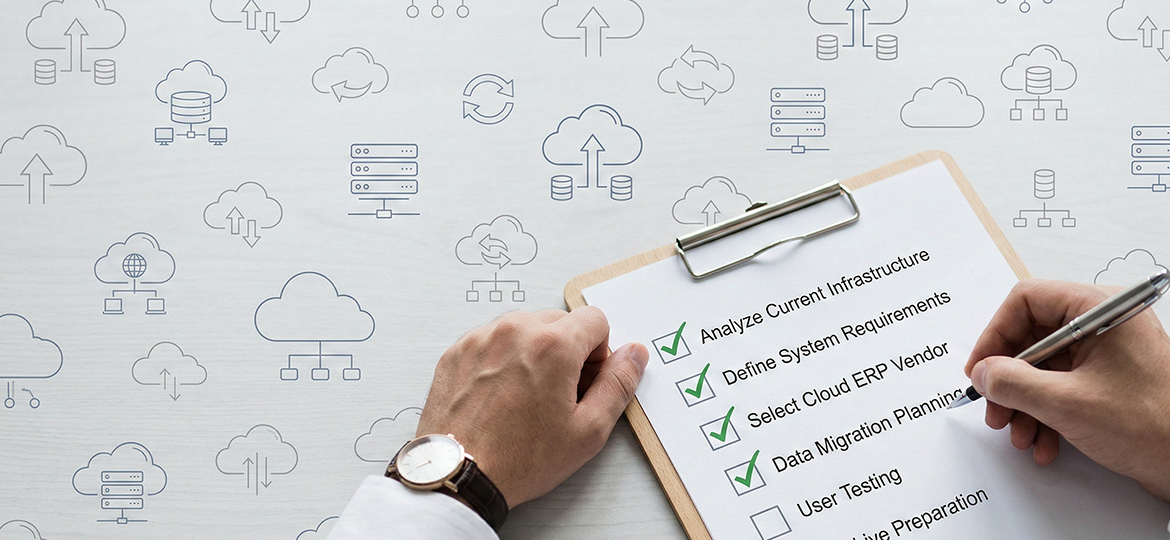
Moving the operational "brain" of a business to a new digital infrastructure is not a weekend project that can be completed overnight. This process requires a highly structured roadmap.
Without mature planning, a system transition could actually trigger operational chaos. To ensure the success of your SaaS ERP implementation, let's follow these three crucial phases:
Phase 1: Planning & Preparation (Pre-Migration)
This stage is the determining foundation. Errors in the planning phase will multiply during execution. Your main focus here is mapping and strategy formulation.
-
Audit Old Infrastructure & Determine Business Goals: Do not move the system before knowing what the problem is. Evaluate which business processes are slow and determine the KPIs (Key Performance Indicators) to be achieved, for example, cutting financial reporting time by up to 50%.
-
Choose a Migration Strategy (Lift-and-Shift vs. Greenfield): This is like moving houses. You can choose Lift-and-Shift (moving the entire layout and old furniture as-is to the new house) or Greenfield (discarding old habits and rebuilding workflows from scratch to be more efficient).
-
Form Internal & External Migration Teams: Appoint a decisive Project Manager. Combine your internal IT experts with experienced ERP vendor consultants so that collaboration runs in harmony.
Phase 2: Technical Execution & Data Transfer (Migration)
Once the blueprint is approved, it is time to execute the database transfer and technical configuration. This is the phase where the IT team will work the hardest.
-
Data Cleansing: The golden rule: Do not bring "trash" to the new house! Delete inactive vendor data, fix customer duplications, and ensure uniform data formats before uploading to the cloud.
-
Security Configuration & Regulatory Compliance: Strictly set user access rights (Role-Based Access Control). Ensure your SaaS vendor complies with local and international data regulatory standards (such as ISO 27001).
-
Third-Party Application Integration (API): Cloud ERP must not become an isolated island. Ensure this new system connects seamlessly with other existing applications, such as HRIS, CRM, or e-commerce software via APIs.
Phase 3: Testing, Go-Live, & Evaluation (Post-Migration)
The system is set up, but is it safe to use? This final phase ensures the transition runs smoothly in the hands of the end-users.
-
User Acceptance Testing (UAT): Do not Go-Live immediately. Let employee representatives (Key Users) test the system with daily work scenarios. Record bugs or workflows that are still stuttering.
-
Employee Training (Change Management): Even the most advanced technology will fail if its users reject it. Provide dedicated time for training and guide employees in adapting to the new interface.
-
Rollout Strategy (Phased vs. Big Bang): Determine the launch method. Do you want to activate the financial module first, followed by the inventory module (Phased), or turn everything on simultaneously on a single day (Big Bang)? Adjust this to the company's risk profile.
Fatal Mistakes That Often Occur During Migration (And How to Prevent Them)
Many business leaders think that a massive investment in advanced software automatically guarantees operational success. However, based on the track record of field implementations, the reality is often the exact opposite.
Cloud system migration failures are rarely caused by technical bugs or poor vendor infrastructure. The root of the problem is actually very human. Replacing an ERP system is like giving a high-speed sports car to someone who has only ridden a manual motorcycle their entire life.
No matter how great the car's engine is, if the driver is terrified, untrained, and refuses to drive, the car will only end up as an expensive display in the garage. So that you do not fall into the same trap, here are the main pitfalls to watch out for:
Employee Rejection (Work Culture Resistance)
-
Root Cause: Employees often feel comfortable with the "old ways" even if they are inefficient. Drastic changes to interfaces and workflows can trigger stress, rejection, and even passive sabotage of the new system.
-
How to Prevent: Do not make the IT department the sole commander. Involve representatives from each division (Key Users) from the very first day of discussion. Implement a Change Management program that empathizes with their complaints, rather than just handing out thick manuals.
Forcing "Dirty Data" into the New System
-
Root Cause: Moving dead customer data, duplicate transaction histories, or messy inventory formats. This will instantly ruin the accuracy of the analytics and reporting features in the new system.
-
How to Prevent: Enforce strict data quarantine. Form a dedicated team to conduct audits, validation, and database standardization (data cleansing) long before the upload process to the cloud begins.
Conclusion
Transitioning from on-premise infrastructure to a SaaS ecosystem indeed demands extraordinary time, energy, and commitment from all elements of the company. However, amidst market competition that moves in seconds, sticking with a rigid legacy system is actually the biggest business risk.
By following precise preparation phases, disciplined data cleansing, and change management that embraces employees, Cloud ERP migration is no longer a terrifying monster. This step will become the most crucial starting point for creating resilient and growth-ready business operations.
Ready to Start Your Risk-Free Migration Journey?
Feeling overwhelmed putting together a secure migration roadmap for your company's data? You do not need to guess your steps in the middle of this complex process.
The expert consulting team at Soltius has extensive experience in accompanying Cloud ERP transitions for various business scales—from the infrastructure audit stage to ensuring the Go-Live moment runs smoothly.
Do not let your operations be held back by legacy systems. Contact Soltius today for a strategic consultation session, and let's realize a more agile, efficient, and modern business ecosystem!
Other News