Blog

Strategic Steps for Migration to IaaS: From Planning to Execution
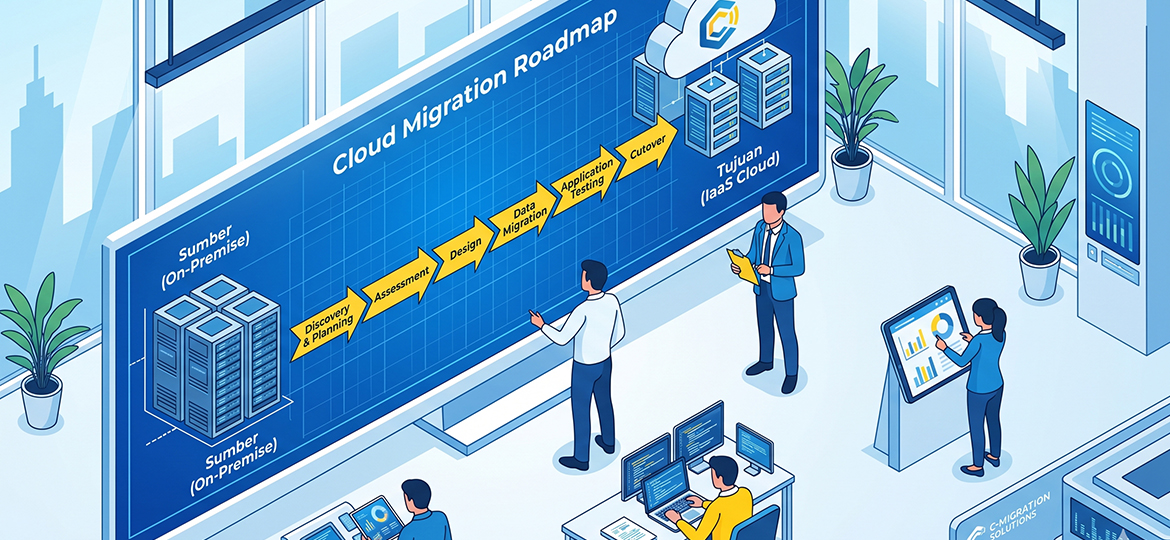
Maintaining on-premise infrastructure often burdens companies with high capital expenditure (CapEx) allocations for hardware maintenance and data center operations. In addition to ballooning costs, the limited scalability of the system when facing unexpected workload spikes makes conventional infrastructure inflexible and you are not the only IT leader currently trying to break free from these operational bottlenecks.
This article is designed as a concrete technical roadmap to execute your migration strategy. Rather than merely discussing basic cloud concepts, we will dissect the 7 crucial phases of Migration to IaaS, starting from infrastructure assessment and provider selection, to cutover guidelines and ready-to-use checklists to ensure a safe system transition with minimal downtime.
IaaS, PaaS, and SaaS Workload Scenarios
Even so, ensure that IaaS truly aligns with your workload scenario using the following decision framework:
| Evaluation Metrics | IaaS (Infrastructure) | PaaS (Platform) | SaaS (Software) |
| System Control | Very High (Full access up to OS) | Medium (Focus on code deployment) | Low (Configuration limited to user level) |
| Best Scenario | Legacy application migration & strict customization | Cloud-Native application development | Ready-to-use operational applications (Email, CRM) |
| Primary Users | SysAdmins & IT Architects | Software Engineers & Developers | End-Users (All staff) |
Strategic Steps for Migration to IaaS
PHASE 1: Assessment & Discovery — Know Your Infrastructure Before Migrating
Cloud migration without mapping is like moving houses without an inventory list—risking transporting old system "junk" or breaking crucial functions mid-way. Avoid manual assumptions by conducting the following tactical evaluations:
-
Comprehensive Inventory: Record server capacity, storage, CPU/RAM utilization, and a list of active applications.
-
Dependency Mapping: Identify communication paths between applications and databases to prevent broken links when moved.
-
TCO (Total Cost of Ownership) Evaluation: Compare current total on-premise costs versus estimated cloud computing costs.
-
Use Official Assessment Tools: Automate system audits with AWS Migration Hub, Azure Migrate, or Google Cloud Migrate.
Red Flags: What SHOULDN'T You Migrate to IaaS?
A lift-and-shift strategy does not apply to all scenarios. It is best to avoid migrating systems with the following red flags before refactoring them:
-
Outdated Legacy Applications: Systems with hardcoded architectures (like static local IPs) are prone to malfunctioning in dynamic cloud environments.
-
Ultra-Low Latency Requirements: Systems that need sub-millisecond responses (edge computing / factories) will be at risk of delays.
-
Strict Data Regulations: Highly sensitive data bound by compliance regulations to remain on local physical servers.
PHASE 2: Strategic Planning — Building a Migration Blueprint
Designing a migration blueprint is like drawing a building's architectural floor plan, where an early miscalculation can cause the entire operational system to collapse. Don't rush into touching the servers. Build your strategy by refining the following elements:
-
Establish Objectives & KPIs: Define clear success metrics, such as a 99.99% uptime target, a 20% reduction in infrastructure costs, or an increase in application release speed.
-
Form a Cross-Functional Migration Team: Don't burden just one SysAdmin with this. You need a Cloud Architect for design, a Security Engineer for compliance, and operational representatives.
-
Develop a Roadmap & Contingency Plan: Create a realistic timeline (typically 3–12 months depending on workload size) equipped with an emergency plan in case the migration fails mid-way.
The most crucial step in this phase is selecting the right IaaS Provider.
PHASE 3: Proof of Concept (PoC) — Test Before Full Deployment
Ignoring a Proof of Concept (PoC) is a fatal mistake. Considering the transition to IaaS is a massive investment, treat the PoC as a test drive or field trial to prove that your blueprint actually works in a real cloud environment.
-
Select Non-Critical Workloads: Don't risk core applications. Use staging servers, internal apps (e.g., HR portals), or archive databases as pilot projects.
-
Validate the Three Main Pillars: Use this PoC phase exclusively to measure performance (is the latency safe?), security (is IAM access properly locked down?), and validate the actual estimated cloud costs.
PHASE 4: Cloud Architecture Design — Building a Solid Foundation
Designing architecture in IaaS is like building the layout and security system for an elite housing complex. You are given full freedom to design the buildings, but you must ensure the perimeter fences and access routes are completely secure.
-
Isolated Network Design: Build the network foundation with a Virtual Private Cloud (VPC). Break down the infrastructure into Subnets (public for web servers, private for databases), and use Security Groups as the first layer of firewall protection.
-
Access Management (IAM): Apply the principle of least privilege. IAM acts as a "VIP access card"—ensure every staff member or system only has permission to access resources relevant to their specific tasks.
-
Infrastructure as Code (IaC): Leave manual configurations behind. Use scripting tools like Terraform or AWS CloudFormation so the infrastructure can be replicated automatically, consistently, and free from human error.
-
Security & Disaster Recovery (DR): Design cross-zone replication backups so the system automatically takes over (failover) if an outage occurs at one point.
-
Shared Responsibility Model: Understand the boundaries of this responsibility: the cloud provider is tasked with maintaining hardware (physical) security, while data protection, operating systems, and network configurations are entirely your responsibility.
PHASE 5: Migration Execution — Moving Workloads Safely
It is highly recommended to avoid the Big-Bang approach (moving everything simultaneously overnight), which is like forcing an entire city to relocate using only a single fleet of trucks. The risk of data collision is too great. Use a Phased Migration strategy.
-
Migrate Data First: Synchronize databases with specialized tools like AWS DataSync or Azure Database Migration Service (DMS) designed to move massive volumes of data with minimal downtime.
-
Migrate Applications: Move stateless applications (apps that don't store local session data) first because the process is simpler, followed by more complex stateful applications.
-
Cutover & Rollback Strategy: Determine a cutover window (the moment DNS traffic routing switches from on-premise to the cloud) during hours with the lowest traffic. Ensure you have a rollback script so you can immediately revert to local servers in the event of a fatal failure.
PHASE 6: Validation & Testing — Ensure Everything Works
Moving the workload is only half the battle; ensuring it runs normally is the real key. The validation phase is like turning on all the light switches and fire alarms after building a new house to ensure there are no short circuits.
-
Functional Testing: Retest every application feature. Ensure database transactions run normally, API integrations are not broken, and there are no broken links post-migration.
-
Performance & Load Testing: Artificially simulate traffic spikes. Ensure your IaaS architecture can handle maximum loads without experiencing a drop in latency.
-
Security Audit & Compliance Check: Conduct light penetration testing and ensure firewall configurations (Security Groups) meet your industry's regulatory standards.
-
User Acceptance Testing (UAT): Involve end-users or operational division representatives to confirm that applications run as well as (or better than) when they were on-premise.
PHASE 7: Post-Migration Optimization — Don't Stop at "Already Moved"
Many companies feel the job is done after a successful cutover. This is a fatal flaw. Cloud environments are highly dynamic, and without further optimization, your IaaS bills can swell drastically.
-
Implement FinOps: Cultivate a culture of cloud financial management (FinOps). Monitor billing metrics in real-time to identify idle resources.
-
Auto-Scaling & Rightsizing: Don't pay for large servers that are only busy occasionally. Adjust VM sizes (rightsizing) and enable auto-scaling features so the infrastructure automatically shrinks when traffic is low.
-
Continuous Monitoring: Use built-in tools like AWS CloudWatch, Azure Monitor, or Google Cloud Operations to monitor performance, memory, and system anomalies 24/7.
-
Periodic Evaluation vs. KPIs: Compare the first month's performance in the cloud with the KPIs and TCO projections you made in Phase 2.
Conclusion: Migration to IaaS is Not the Destination, But the Beginning of the Journey
Migrating to IaaS is not the finish line, but the starting point of your company's digital transformation. By executing the 7 strategic phases from a meticulous Assessment, Blueprint creation, validation via PoC, secure architecture design, and phased execution, to FinOps optimization you minimize the risk of system failures and cost overruns.
Don't let outdated on-premise infrastructure hold back your business growth. Take your first step today: gather your IT team, run an initial discovery audit, and design your company's digital future right now!
Other News