Blog

Cloud ERP vs On-Premise ERP: The Differences and How to Choose
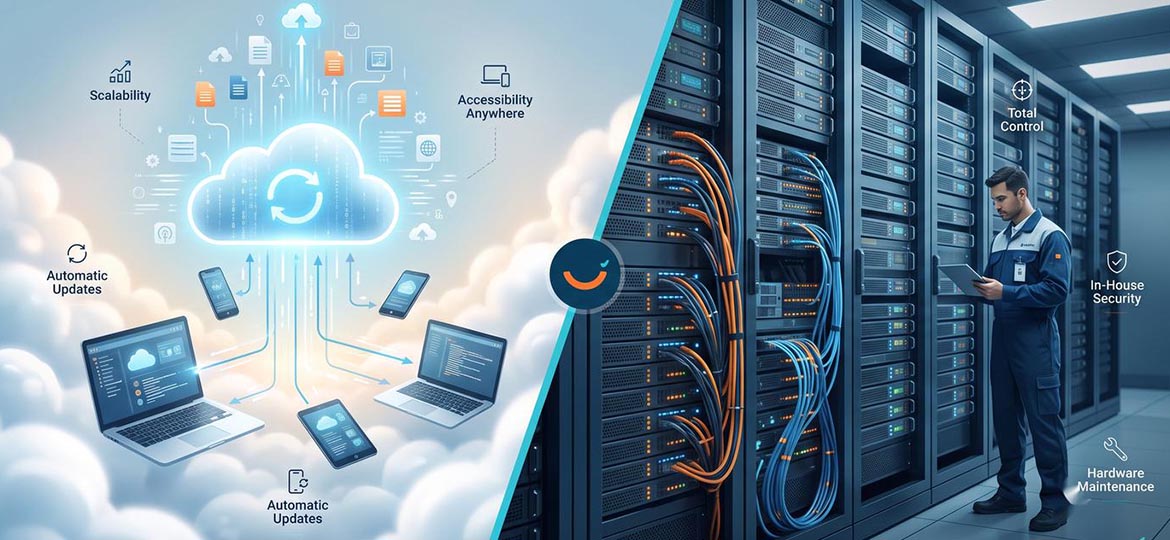
A CIO whose ERP system is already seven years old is facing a decision that will set the direction for the next five to ten years: stay on-premise with their own servers and team, or move to the cloud with a subscription model and the infrastructure burden shifted to the vendor. The problem is that almost every article stops at a generic pros-vs-cons table, then closes with “it depends on your needs” without offering criteria you can actually use. This article is different. The discussion of cloud ERP vs on-premise here provides clear definitions, a multi-dimensional comparison table, an honest cost calculation, the Indonesian regulatory context, and one decision framework: when cloud, when on-premise, when hybrid.
For those already leaning toward the cloud, the next step is to understand the path of migrating ERP to the cloud.
Through this article, we will discuss the difference between the two dimension by dimension, the real cost structure (not just “cloud is cheaper”), the security and PDP Law compliance aspects, how this model takes shape in the SAP ecosystem, and how to choose the right one for your company's profile.
Cloud ERP is an Enterprise Resource Planning system hosted and managed by a vendor on cloud infrastructure, accessed over the internet on a subscription model. On-premise ERP is an ERP system that runs on the company's own servers and data center, managed by an internal IT team, with a perpetual license. The two differ in cost profile, control, and flexibility.
What Are Cloud ERP and On-Premise ERP?
In short, the difference between the two lies in who owns and manages the infrastructure. On-premise ERP runs on the company's own servers and data center, managed by an internal IT team, on a perpetual license-purchase model (perpetual) plus an annual maintenance fee. Cloud ERP is hosted by a vendor on cloud infrastructure, accessed over the internet, on a recurring subscription model.
On-premise gives full control: the physical servers sit in the company's building, data does not leave the internal environment, and customization is nearly unlimited. The consequence is that the company bears the system's entire life cycle, from hardware procurement to upgrades that must be carried out as projects in their own right.
Cloud ERP flips that burden. The vendor provides and maintains the servers, network, operating system, and database, while the company focuses on using the application and its data. Access can be from anywhere via a browser or mobile device, and capacity can be added or reduced (scaling) without buying new equipment.
Something to understand from the outset: cloud ERP is not one single thing. There is public cloud (multi-tenant, infrastructure shared by many customers) and private cloud (single-tenant, an instance dedicated to one customer). This difference strongly determines the level of customization and cost, and we will dissect it when we discuss the SAP context.
What Are the Main Differences Between Cloud ERP and On-Premise ERP?
In general, there are nine key points that distinguish the two: from server location, infrastructure ownership, cost pattern, and maintenance to data security. In short, on-premise has the edge if you need full control and deep customization. Conversely, the cloud stands out for speed, flexibility, and convenience because the operational side is already handled by the vendor. The table below summarizes the comparison to make it easier to grasp.
|
|
|
|
|
|
|
|
|
|
|
|
|
|
|
|
|
|
|
|
|
|
|
|
|
|
|
|
|
|
|
|
|
|
|
|
One thing often misunderstood: cloud implementation speed is not always faster. The public edition can indeed go-live within weeks, but a private cloud with migration from a legacy system runs on a timeline similar to an on-premise project. The speed comes from process standardization, not from the “cloud” label itself.
Cost Comparison: CapEx vs OpEx and the Real TCO
Answering the question “which is more economical” cannot be done with a single short answer. Many say cloud ERP can cut the Total Cost of Ownership (TCO) by 30–50% over five years because it eliminates the cost of physical infrastructure and an internal IT team. However, that figure is only a general estimate. In reality, every company's situation differs. For large companies that already have established infrastructure and a stable workload, keeping an on-premise system can actually be more efficient over the long run (beyond 7–10 years).
Simply put, on-premise is capital expenditure (CapEx) upfront. The first-year cost is sizable because it covers licensing, implementation, training, and hardware, with an annual maintenance cost of around 15–25%. Conversely, cloud ERP is operational expenditure (OpEx). Its cost is more predictable because it is a recurring subscription that already includes system maintenance and updates.
Important to remember: the cloud is not always cheaper forever. If your company has a stable transaction load and an IT team that is already in place, the continuous cloud subscription cost could end up more expensive than keeping the existing on-premise system. So don't rush a decision based on trends alone. Recalculate your TCO comprehensively—from licensing and implementation to team costs—so the decision you make truly fits your company's situation.
How This Model Takes Shape in SAP: ECC, S/4HANA, and RISE with SAP
In the SAP ecosystem, on-premise is represented by SAP ECC and SAP S/4HANA on-premise edition, managed on the customer's infrastructure, while the cloud is represented by SAP S/4HANA Cloud in two variants: private edition and public edition. The path from on-premise to the cloud is facilitated through RISE with SAP, SAP's packaged offering for transformation to cloud ERP.
The difference between these two editions is crucial. The private edition is more personalized because each customer gets a dedicated instance, so customization can be more flexible and the upgrade schedule can be set independently—very suitable if you are migrating from an ECC that already has many modifications. Conversely, the public edition is more practical because it shares infrastructure with other users, updates are done automatically every three months, and its design is standardized so it can be used quickly out of the box.
|
|
|
|
|
|
|
|
|
|
|
|
|
|
|
|
|
|
|
|
Through RISE with SAP, you get a complete package that includes the SAP S/4HANA Cloud license, infrastructure (which can be on AWS, Azure, or GCP), operational management, and access to SAP BTP—all under one SLA. But keep in mind, RISE does not mean you are free to customize without limit. Although the private edition offers more flexibility than the public one, we still recommend applying the clean core principle so that your system stays lean and easy to update later. In this process, a partner like Soltius accompanies you, from configuration and data migration to assessing system readiness before you begin.
One thing to consider right away is the technical support (maintenance) deadline. Mainstream support for SAP ECC (Business Suite 7, including ECC 6 with Enhancement Packages 6–8) will end on December 31, 2027. After that, a paid extended-maintenance option is available through the end of 2030, and under certain conditions there is a Private Edition Transition Option that can extend support through 2033. This is not to cause panic but a reminder to ECC users that the time to plan the transition is growing shorter.
Signs You Don't Need to Rush to Cloud ERP Just Yet
You might be wondering whether you have to move now. In fact, not always. There are several situations in which staying on-premise actually makes more sense for your company:
-
Infrastructure is already amortized and the workload is stable. If the servers are already paid off and transaction volume doesn't change much from year to year, the accumulated cloud subscription cost can exceed the cost of keeping the running system.
-
System customization is highly specific. If your business processes are very unique and hard to fit to cloud standards, or constrained by strict regulation, undertaking a major overhaul just to move to the cloud may be less efficient.
-
The team is focused on other priorities. ERP migration takes significant time and energy. If your organization is busy handling other important projects, forcing an ERP migration now can add to the risk of failure.
-
The on-premise investment is still new. If your system was installed only in the last two or three years, it may not yet be time to replace it, since the return on investment is not yet optimal.
Of course, an important note for SAP ECC users: “no need to move yet” does not mean you can fully relax. The technical-support deadline on December 31, 2027 is still real. So delaying execution is not the same as delaying planning. Use the available time to tidy up data and review business processes, rather than simply waiting idly.
How to Choose: When Cloud, When On-Premise, When Hybrid?
There is no universal answer; there is an answer that is right for your profile. The decision should be based on six factors: regulation and data sovereignty, the level of customization needed, internal IT capability, the cost profile and its predictability, the speed of growth, and the need for multi-location access. The weight of each factor differs across industries.
Use the following framework as a starting point, not a verdict. Choose cloud if your business processes can be standardized, you want a fast go-live, and you aren't weighed down by heavy legacy customization. Choose on-premise if industry regulation requires full control over data and your long-term cost profile really is lighter without a subscription. Consider hybrid if there are several entities with different needs or you want to migrate gradually.
|
|
|
|
|
|
|
|
|
|
|
|
Hybrid needs a bit of explanation, because the term is often used loosely. Hybrid ERP or two-tier ERP is a model in which a company runs a core ERP (for example S/4HANA) on-premise or in a private cloud for primary functions such as finance and manufacturing, while adding a separate cloud ERP system for business units, regional branches, or specific functions. This model allows a gradual move to the cloud without an all-at-once overhaul.
There is one misconception that often arises in the field: assuming a private cloud is the same as on-premise. A customer that moves to the private edition via RISE has a dedicated instance, but the infrastructure is managed by the vendor, not the internal team. What changes is not the degree of exclusivity but who bears the operations. Understanding this difference matters so that expectations about control don't go astray.
Conclusion
The right question is not “which is better” but “which is right for your context.” The industry trend does lean toward the cloud: IDC projects that more than 50% of organizations in Asia/Pacific (excluding Japan) will modernize up to half of their cloud architecture by 2027 for efficiency and innovation (IDC FutureScape, Cloud 2025 predictions for Asia/Pacific, January 2025). But a good cloud-versus-on-premise decision is still born of criteria, not trends: regulation, customization, long-term cost, and organizational readiness. As an SAP implementation partner recognized as Best RISE and Best Cloud Partner, Soltius helps companies weigh that choice according to their context, then migrate and support it through RISE with SAP with measured downtime and data risk.
To discuss the ERP readiness and deployment path that best fits your company, visit soltius.co.id and start with a consultation session.
FAQ (Frequently Asked Questions)
What is the main difference between cloud ERP and on-premise ERP?
Essentially, the difference is in management. Cloud ERP is subscription-based and all the infrastructure is handled by the vendor. On-premise ERP is a system installed on your office servers, managed by an internal IT team, with the license bought upfront. In short, cloud is convenient, on-premise is full control.
Which is cheaper, cloud or on-premise?
There is no single definitive answer. Cloud ERP is economical upfront because there's no need to buy servers, but it becomes a recurring cost. On-premise is indeed expensive at first, but for large companies with existing infrastructure, it can be more economical over the long run. The key: calculate the total cost of ownership (TCO) over 5–10 years, not just compare monthly prices.
Is cloud ERP secure?
Very secure, provided the vendor holds international standard certifications (such as ISO 27001). The principle is shared responsibility: the vendor guarantees infrastructure security, while the company manages user access and authorization. Cloud does not mean losing control; in fact, the division of responsibility is clearer.
What is hybrid/two-tier ERP?
This model combines two worlds. The main system (such as finance) stays on-premise or in a private cloud, while new business units or branches use a nimbler cloud system. It suits companies that want to transition to the cloud gradually.
Can an on-premise ERP move to the cloud?
Certainly. SAP has three migration paths: brownfield (upgrading the old system), greenfield (installing a new system from scratch), or bluefield (a combination of the two). The RISE with SAP program exists to make this transition easier in a structured way.
What does Indonesia's PDP Law say about the cloud?
The PDP Law does not prohibit using the cloud. Its rules are more about the mechanism for transferring data abroad. For companies with sensitive data, the solution is straightforward: ensure the vendor has a data center in Indonesia, or choose a more controlled private cloud option.
What is the difference between S/4HANA Cloud Private and Public?
Think of it like a house vs an apartment. The Private Edition is like a private house: you are free to customize and set your own update schedule. The Public Edition is like an apartment: the standards are already tidy, the system updates automatically, it's very practical, and more economical. Choose Private if your business needs many specific adjustments; choose Public if you want standardized processes and a fast go-live.
Other News