Blog

SAP PP (Production Planning): Functions and Applications in Manufacturing
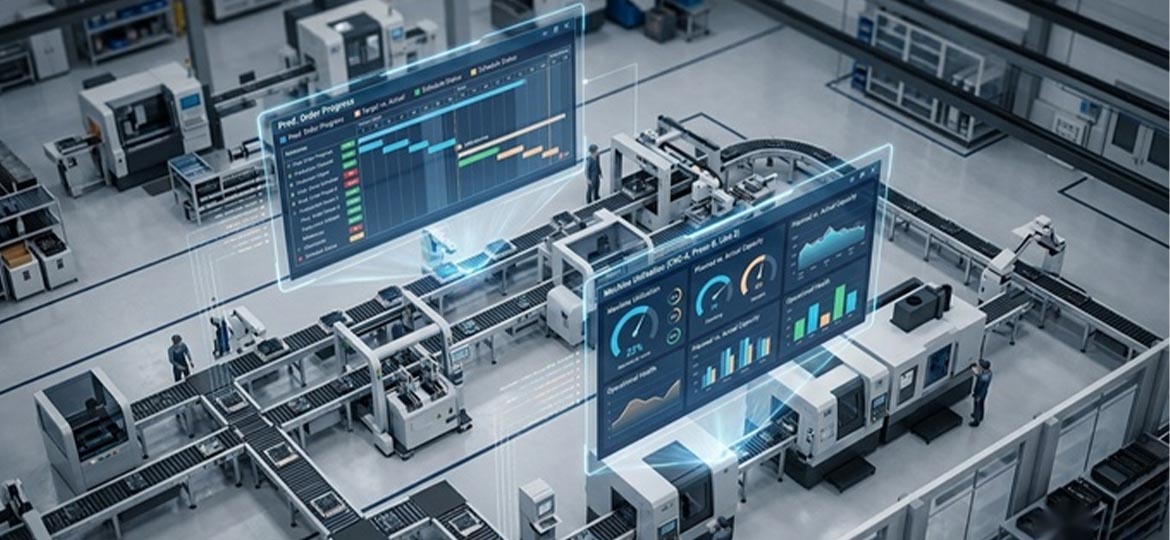
The production plan is drawn up neatly at the start of the week, yet execution still slips: components arrive late, one machine turns into a bottleneck, and the sales team promises delivery dates the plant cannot meet. This is exactly the pattern SAP PP, the production planning module within SAP S/4HANA, is designed to break. This article unpacks the five core functions of the SAP PP module, the master data behind it, the manufacturing types it supports, and when it is time to step up to SAP PP/DS.
In brief: SAP PP (Production Planning) is the SAP module for planning and controlling production in manufacturing companies — from calculating material and capacity requirements, to issuing production orders, to recording confirmations on the shop floor. In SAP S/4HANA, PP integrates directly with the materials, sales, quality, maintenance, and finance modules within a single system.
What Are the Core Functions of the SAP PP Module?
SAP PP's functions form a closed loop rather than a loose list of features: the plan is broken down into material and capacity requirements, executed through production orders, and then actual results are confirmed back as feedback for the next plan. This scope places PP among the most widely used SAP modules at companies in Indonesia.
In practice, that cycle is driven by five core functions (a practical grouping rather than an official SAP taxonomy):
- Demand management. Establishes which products, how many, and when they are produced, drawing on both the forecast and sales orders.
- MRP (Material Requirements Planning). Breaks the production plan down into component requirements along with their procurement schedule.
- Capacity planning. Balances the workload against machines, labour, and shifts so the plan does not collide with line constraints.
- Production orders and execution. Approved plans are converted into production orders, released, and then worked on the shop floor.
- Confirmation and cost recording. Actual quantities and times are recorded per operation; the variances flow automatically into production cost calculations.
Master Data and Manufacturing Types Supported by SAP PP
PP's calculations rest on four master data objects: the material master, the Bill of Materials (BOM), the work center, and the routing. On top of these, three manufacturing types determine how the system creates orders and records production results; choosing a type is a process design decision, not merely an industry label.
The material master holds the basic data for each material, while the BOM lists the components that make up the product. The work center is both the location of the operation and the owner of capacity; the routing records the sequence of operations along with their standard times. An error in any of these four objects makes every downstream calculation wrong too.
|
Manufacturing type |
Characteristics in SAP |
Example industries |
|---|---|---|
|
Discrete manufacturing |
Production per unit/lot using production orders; BOM and routing per product |
Typically automotive, electronics, machine assembly |
|
Process manufacturing (PP-PI) |
Based on the master recipe and the process order; batch management for traceability |
Chemicals, pharmaceuticals, food and beverage |
|
Repetitive manufacturing |
The same product produced repeatedly by period and quantity rather than per order |
Typically consumer goods at high volume |
Beyond these three, Kanban is available as a lean-style method of controlling material replenishment on a pull basis.
How Is SAP PP Applied on the Production Floor?
Day-to-day use of SAP PP follows an order-to-confirmation flow: the plan becomes a production order, the order is executed according to the routing at each work center, and then actual quantities and times are confirmed. Every confirmation automatically updates stock and costs in other modules with no re-entry. The four steps are:
- The planned order produced by planning is converted into a production order and then released.
- Goods issue: components are issued from the warehouse to that order.
- Operations are carried out according to the routing; actual quantities and times are confirmed.
- Goods receipt: the finished product enters stock and the actual production cost is calculated.
A single confirmation sets five modules in motion at once: MM (Materials Management) for stock, SD (Sales and Distribution) for delivery commitments, QM (Quality Management) for inspection, PM (Plant Maintenance) for machine availability, and FI/CO (Finance/Controlling) for production costs.
Manufacturing is the largest sector of the national economy: it contributed 19.07% to GDP in 2025 and grew by 5.30%, according to BPS data cited by the Ministry of Industry (February 2026). For these plants, PP typically becomes the ERP foundation of a broader digital manufacturing system.
On the ground, the most common reason plans slip is not the system: it is routings that are never updated, or confirmations that pile up at the end of the shift. SAP PP is only as accurate as its master data and confirmation discipline.
When Does a Company Need to Move Up to SAP PP/DS?
Standard PP schedules on the assumption of infinite capacity in daily buckets. SAP PP/DS (Production Planning and Detailed Scheduling) adds finite capacity scheduling down to the hour, taking machine constraints, labour, and setup sequences into account simultaneously (SAP Help Portal).
The signals are easy to spot: bottlenecks that shift from line to line, multi-variant products with significant setup times, or delivery commitments that keep slipping even though MRP output looks clean. At that point daily-bucket scheduling really has hit its limit; it is not the operator's fault.
PP/DS is already embedded in SAP S/4HANA and is activated through configuration and material flagging in the material master, with no separate system installation. Embedded does not mean instantly active, though; activation still needs to be planned.
FAQ (Frequently Asked Questions)
What is the difference between SAP PP and MRP?
MRP (Material Requirements Planning) is a method for calculating material requirements. In SAP, MRP runs as one of the five functions of the PP module. PP covers the full planning-to-execution cycle, from demand management through to production confirmation; MRP is one of its engines.
Which modules does SAP PP integrate with?
SAP PP integrates with 5 core modules: MM (materials and stock), SD (sales), QM (quality inspection), PM (machine maintenance), and FI/CO (finance and costing). A single production confirmation automatically updates stock and production costs with no re-entry.
What is the difference between SAP PP and SAP PP/DS?
Standard PP schedules on the assumption of infinite capacity in daily buckets. SAP PP/DS adds finite capacity scheduling down to the hour, is already embedded in SAP S/4HANA, and is activated through configuration with no separate system installation.
Conclusion
The value of SAP PP comes from its closed loop: the plan is executed, confirmed, and then feeds back into the next plan, supported by master data that is maintained seriously. When daily-bucket scheduling is no longer adequate, PP/DS is the route forward. As an SAP Platinum Partner through United VARs with experience across manufacturing industries, Soltius implements and supports SAP PP through to PP/DS, from structuring production master data to post go-live support.
To explore implementing SAP PP and SAP PP/DS at your plant, visit soltius.co.id.
Other News